

Google’s Switch to Android App Expands to All Android 12 Phones
What’s New?
Google has just smoothed out a major roadblock for folks who want to jump from an iPhone to an Android device. The Switch to Android app, previously limited to Pixel phones, now works with every Android 12 handset, so you don’t have to juggle multiple gadgets to get your data cross‑platform.
Why It Matters
- All‑Inclusive Compatibility – Whether you’re rocking a OnePlus, Samsung, LG, or any other Android 12 brand, the app is ready to go.
- Seamless Transfer – Move contacts, photos, apps and settings with one tap.
- No Extra Steps – No need to use third‑party tools or awkward workarounds.
How to Get Started
1. Download the Switch to Android app from the App Store (or Google Play after the switch).
Bottom Line
Google’s move means no more “yikes, I only have a Pixel” hassle and a smoother, all‑mixed user experience. If you’re planning to upgrade, you’re in luck – the Switch to Android app is now almost universally compatible with the latest Android generation.
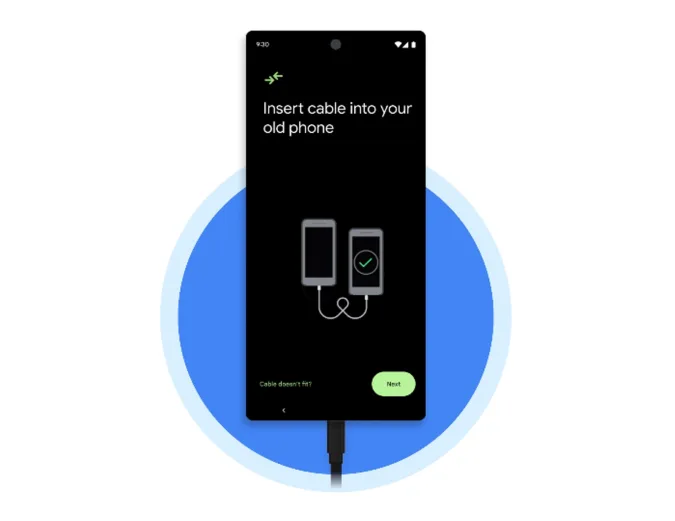
Switching from iPhone to Android Made Simple
Got a shiny new Android but still holding onto your trusty Apple phone? Don’t worry—Google’s new “Switch to Android” app turns the whole shuffle into a smooth dance. All you need is a Lightning‑to‑USB‑C cable (or you can even go wireless over Wi‑Fi). Once the two phones are side‑by‑side, it’s up to you to choose what goes into the new world.
The Data That Can Make the Leap
- Photos & Videos – bring those memories over.
- Contacts & Calendar – keep your people and appointments right where you need them.
- Music – playlists move faster than a hummingbird.
- Messages and SMS – text history travels, because you don’t want to lose that “I’m hungry” thread.
- WhatsApp – the app will politely ask you to launch WhatsApp so that it can pull your entire chat history, photos, and voice notes.
Why the App is a Winner
The Switch to Android is free, so you save a few bucks while you juggle your data. If you ever flip the switch from Android to iPhone instead, Apple has its own “Move to iOS” since 2015—so no one’s left behind.
Bottom Line
With just a cable, a click, and a dash of patience, moving your data is as easy as flipping a switch. Give it a shot, and enjoy the Android vibes without losing that old Apple flair.


